
AION 2 Server Transfer (Global): Rules and How to Move
Server transfers in AION 2 Global let you move characters to another server under NC's published rules. This page covers the open windows, the cost, the requirements, the in-game path, and what moves with you — all from NC's own notices.
TL;DR
- Window: after the Oct 13 (PDT) / Oct 14 (CEST) maintenance through before the Oct 27 (PDT) / Oct 28 (CET) maintenance. Week 1 is Early Access servers only; week 2 is Launch servers only (Products Info).
- Same faction and same region only. Early Access characters move only to other Early Access servers in the Early Access week.
- Cost in this window: base 0 Quna (once per account), 0 Quna per character. Extra destination character slots cost 1,000 Quna each.
- One transfer per account for the whole period; you can move many characters in that one transfer.
- Path: during your region's daily hours, open In-Game Shop → Server Transfer.
The rules NC has announced
NC's earlier Information on Server Transfer notice said transfers would start on October 14th within the same faction, that Early Access players would move only between Early Access servers, and that "Server Transfers will initially be free during this period!"
Its later Server Transfer Products Info and Server Transfer Q&A notices fill in the procedure for the current window:
| Rule | What NC says |
|---|---|
| Same faction | Transfers only to servers of the same faction |
| Same region | Transfers only between servers in the same region |
| Early Access week | Transfers from Early Access servers only to other Early Access servers |
| Launch week | Transfers on Launch servers only (second week of the window) |
| Account limit | One server transfer per account for the entire period; many characters allowed in that one transfer |
| Capacity | Transfer is blocked if the departure or destination server has hit its transfer capacity limit |
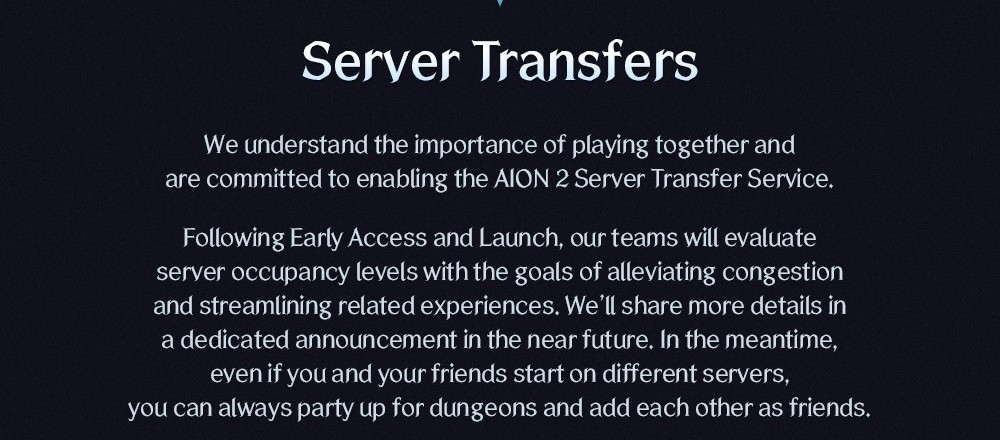
NC's Early Access Team Update also said its teams evaluate server occupancy "with the goals of alleviating congestion" and that it would share more details in a dedicated announcement — the Products Info and Q&A notices are that announcement.
When you can transfer (windows and daily hours)
Overall period (Products Info): after the scheduled maintenance on Tuesday, October 13 (PDT) / Wednesday, October 14 (CEST), through before the scheduled maintenance on Tuesday, October 27 (PDT) / Wednesday, October 28 (CET).
| Phase | Servers | Opens | Ends (before maintenance) |
|---|---|---|---|
| Week 1 | Early Access servers only | After Oct 13 (PDT) / Oct 14 (CEST) maintenance | Tuesday, October 20 (PDT) / Wednesday, October 21 (CEST) |
| Week 2 | Launch servers only | After Oct 20 (PDT) / Oct 21 (CEST) maintenance | Tuesday, October 27 (PDT) / Wednesday, October 28 (CET) |
Daily application hours by region (Products Info / Q&A; PDT and CEST/CET as NC lists them):
| Region | Daily windows (PDT) | Daily windows (CEST/CET) |
|---|---|---|
| NA East | 09:00–13:00 and 15:00–19:00 | 18:00–22:00 and next day 00:00–04:00 |
| NA West | 09:00–13:00 and 15:00–19:00 | 18:00–22:00 and next day 00:00–04:00 |
| Europe | 03:00–07:00 and 09:00–13:00 | 12:00–16:00 and 18:00–22:00 |
| South America (Latin America) | 09:00–13:00 and 15:00–19:00 | 18:00–22:00 and next day 00:00–04:00 |
| Asia | 20:00–next day 00:00 and 02:00–06:00 | 05:00–09:00 and 11:00–15:00 |
Outside those hours, or if transfer-out / transfer-in limits are full, NC says the Shop path shows Server Transfer as unavailable.
How to transfer, step by step
From NC's Products Info "How to Use" section:
- Confirm you are in the correct phase (Early Access week or Launch week) and inside your region's daily hours.
- Meet every purchase requirement in the next section (level, village, Legion, Duty, unclaimed items).
- Open In-Game Shop → Server Transfer and select the characters / items you want to move. NC says the purchase button activates once you meet the requirements.
- Pick a destination server of the same faction and region. If that server cannot accept transfers, NC says a notification appears in the request UI.
- Pay any extra destination character-slot cost if you need more slots than the destination server has free (1,000 Quna per slot).
- After you confirm, NC says the transfer cannot be canceled or reverted. You return to the title screen; the account cannot log in while the transfer runs. NC says a transfer takes at least 1 minute and can take longer; PURPLE users get a PURPLE PUSH when it finishes.
In-game UI screens (entry point, eligibility list, confirmation) are pending an official Global client capture.
Requirements before you can buy
NC's Products Info lists these purchase requirements:
- Level 10 or higher on the same server for each character you transfer.
- The character must be in a village (not the Abyss, a Spacetime Rift, or a dungeon).
- The character must not be in a Legion and must have no pending Legion application.
- The character must have no active Duty.
- No unclaimed currency or items that block the service:
- Market listings, items pending collection, or uncollected sale proceeds
- Unclaimed items in Shop Storage (including Founder's Pack items)
- Unclaimed mail on the character you want to transfer
Cost in this window
From NC's Products Info pricing table:
| Category | Price | Limit |
|---|---|---|
| Base cost | 0 Quna | Once per account |
| Per character transferred | 0 Quna | — |
| Additional destination character slot | 1,000 Quna per slot | As needed |
NC's example: if you transfer 6 characters and the destination server has only 4 free slots, you pay 2,000 Quna to expand two slots.
NC has not published a different paid price for after this free window in these notices. It does say the product "may be offered for sale again in the future in the same or a similar form."
What moves with you and what doesn't
Copy only what NC states. If a row is silent in the notice, this page does not invent it.
Currencies and membership
- Kina in the character's Cube and Character Storage moves. Kina in Server Storage does not — move it first (Products Info / Q&A).
- Quna and Mileage on the current server move and add to the destination server's amounts.
- Active Membership moves to the destination server, combines with any membership already there, and is removed from the origin server (Q&A). Membership is still a per-server product in NC's membership table — see free to play and membership.
Storage, mail, Market
- Character Storage (and purchased extra Character Storage slots) moves with the character.
- Server Storage items do not move. Expanded Server Storage slot counts on the destination become the higher of the two servers; move items into Cube or Character Storage before you transfer.
- Clear Market listings / pending proceeds and mail before you apply, or NC blocks the purchase.
Daeva Pass, Founder's and Shop goods
- Active Daeva Pass moves with its current progress (Q&A).
- Unclaimed Founder's Pack items in Shop Storage block the transfer until claimed.
- NC lists many character progress rows as transferred (skills, stigmas, Cube, quests, titles, achievements, pets, closet skins, wings, Abyss points, season rank points, and more) in the Products Info transfer table. Mail Block List is marked as not transferred in that table.
- Special Pets / Skins generally move; duplicates can become Pet Reward Tickets, Skin (Single) Reward Tickets, or Pass Coin refunds under NC's duplicate rules (ticket validity through the Nov 24 PST / Nov 25 CET maintenance — see the Products Info / Q&A notices).
Name, friends, Legion
- The transferred character's name becomes @TemporaryName; you set a new name on first login. If the old name is taken on the destination, you cannot reuse it.
- Friends and Blocked lists are retained; friends see your new name.
- You must leave your Legion (and clear pending applications) before you apply — NC does not describe keeping Legion membership across the move.
Character slots on the destination
- You can transfer to a server where you already have characters if enough slots are free (or you buy expansions at 1,000 Quna each).
- Expanded character slots bought and used on the origin server stay on the origin; they do not add slots on the destination (Q&A).
For Founder's items that NC still marks server-bound as delivered, see the Founder's Pack guide.
Korean-version transfer rules don't apply
Guides that quote a level requirement, a premium-currency fee, or town-only / legion-leave steps taken from the Korean client describe that version. Global rules for this window are only the ones in NC's Global Products Info and Q&A notices above.
Playing with friends without transferring
Even without a transfer, NC says all instanced content including dungeons is available cross-server, and you can party and add friends across servers in your region. Server lists and Early Access vs Launch pairing are on the servers and regions guide. Queue and full-server advice is on queue and login errors.
FAQ
When can I transfer? After the Oct 13 (PDT) / Oct 14 (CEST) maintenance, through before the Oct 27 (PDT) / Oct 28 (CET) maintenance, only inside your region's daily hours. Week 1 is Early Access servers; week 2 is Launch servers (Products Info).
Is it free? In this window the base cost and per-character cost are 0 Quna. Extra destination character slots cost 1,000 Quna each. NC has not published a different post-window price in these notices.
Can I switch faction? No. NC allows transfers only within the same faction (and the same region).
Can Early Access characters move to Launch servers? Not during the Early Access transfer week. NC limits Early Access transfers to other Early Access servers. Launch-server transfers are the second week of the window.
Do I keep my membership? Yes, under NC's Q&A: your active membership moves to the destination, combines with any membership already there, and is removed from the origin server.
How many times can I transfer? Once per account for the entire transfer period. You can include multiple characters in that one transfer.
Do I lose my character? No. NC describes moving the character to the destination server. The name becomes @TemporaryName until you rename it. The transfer cannot be undone after you complete the request.
NC notices used on this page
- Server Transfer Products Info (also on Steam news)
- Server Transfer Q&A (also on Steam news)
- Information on Server Transfer
- Early Access: How It Will Work (Server Transfers infographic)
- Special Quai Membership notice (membership is per server)